CAPTCHA Scams: Why “I’m Not a Robot” Could Put You at Risk
By Shuaib S. Agaka
We’ve all seen it before. You’re browsing online, maybe trying to revisit a product site, and a familiar box appears: “I’m not a robot.” It’s routine, almost muscle memory—you click and move on. But security researchers warn that a growing number of these checks are not what they seem. Instead of blocking bots, fake CAPTCHA are being used as bait to install malware on unsuspecting devices.
From Security Gatekeeper to Cyber Trap
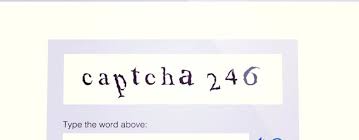
CAPTCHA, short for Completely Automated Public Turing test to tell Computers and Humans Apart, was designed to do exactly what the name suggests: separate people from bots. They’ve evolved from squiggly letters to image grids and, more recently, the single-click reCAPTCHA checkbox. The problem is, hackers have learned that internet users trust these screens without hesitation.
That trust is now being exploited. Cybercriminals are setting up lookalike CAPTCHA pages that ask users to take extra steps, such as allowing browser notifications, downloading a file, or even pasting commands into a terminal. Once followed, these instructions can quietly deliver malware onto the victim’s computer.
A Case Study: Lumma Stealer in Disguise
CloudSEK’s Threat Research division recently uncovered one such scheme linked to the Lumma Stealer malware. The campaign used phishing sites dressed up with counterfeit Google CAPTCHA pages. When users landed on these sites, they were prompted to open the Windows Run dialog, paste in the copied text, and press Enter.
What seemed like an innocent verification exercise actually executed a hidden script, downloading malware designed to harvest personal data.
Spotting the Red Flags
How can you tell if a CAPTCHA is real or fake? There are subtle but important differences. Genuine CAPTCHA sticks to straightforward tests—clicking boxes, picking images, or entering distorted text. Fake ones go further, asking for unrelated actions that should raise alarms.
Another clue lies in the address bar. Counterfeit pages often live on domains that look slightly off—maybe a misspelling, an unusual character, or a completely unfamiliar extension. If the CAPTCHA appears as a random pop-up, rather than being integrated into the site, that too is a warning sign.
What To Do If You Clicked
If you suspect you’ve interacted with a fake CAPTCHA, quick action can limit the damage. Security professionals recommend closing the site immediately, disconnecting from the internet, running a full malware scan, and clearing your browser data. Any suspicious downloads should be deleted without opening, and passwords for important accounts should be changed from a secure device.
It is worth noting that industries such as e-commerce and online gaming are particularly vulnerable, as stolen credentials can be quickly exploited. But everyday users are just as vulnerable. One wrong click can compromise both your money and your privacy.
The Bottom Line
What was once a simple test to keep bots out has become a new doorway for hackers to get in. Fake CAPTCHA scams work because they prey on our habits; we’re so used to clicking “I’m not a robot” that we rarely stop to question it. The best defense is awareness: look closely at the site you’re on, and remember that no real CAPTCHA will ever ask you to download files or paste commands.
In the age of online scams, proving you’re human shouldn’t mean putting your digital life at risk.
Shuaib S. Agaka